
Smarter mobile device management with personas.
Different roles place different demands on devices. A production employee uses their phone very differently from someone working with dashboards in the office. Yet in many organisations, everyone is given the same configuration on their smartphone or tablet – like giving everyone the same size safety shoes. They may get the job done, but they rarely fit properly.
Personas help define what each role actually needs from its devices, from the right apps to the appropriate level of access, settings and restrictions. Instead of building large, rigid MDM structures, you create tailored profiles that reflect how people really work – rather than forcing everyone into the same standard configuration. See how this works in practice and what it means for your organisation.

We use YouTube to embed video content on our website. This service may collect data on your activity. For more information, please go to the settings page.
Why work with personas?
In many organisations, employees in very different roles end up with the same settings, apps and access rights. In some cases, a single user profile is applied across the entire organisation, leading to mismatched permissions and capabilities – and unnecessary time and cost to resolve these issues.
A persona represents a specific user type within your organisation. It gives you a clear framework for what each group needs, so you can configure devices and permissions accordingly. Instead of relying on a standard configuration, users get exactly what they need, and IT benefits from clearer oversight and more structured management.
Working with personas helps you:
- Avoid generic configurations that don’t reflect how different roles actually work.
- Equip employees with the right tools from day one.
- Eliminate the need for users to install, remove or configure apps themselves.
- Improve oversight and control of access rights and policies.
- Achieve a better balance between security and usability.
- Build a strong foundation for ongoing digital transformation.
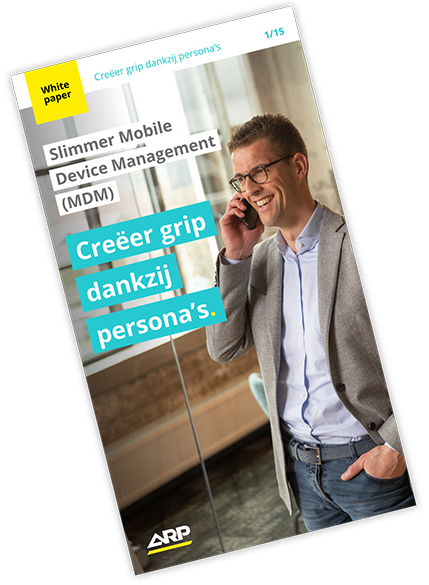
Whitepaper – Gain control with personas.
In this whitepaper, you’ll learn how personas help you structure user access, streamline IT management and get more out of your mobile device management (MDM). ARP specialists Luc Janssen and Michel de Jonge explain how working with personas leads to a more effective way of organising your IT environment, giving you better visibility and less complexity in day-to-day management.

We often see that a single user profile covers around 80% of the organisation. It’s that remaining 20% where most of the friction comes in.
Michel de Jonge, Technical Expert Android, ARP
Who benefits from a persona strategy?
A persona-based approach comes into its own when you want more structure and control in IT management – and it often brings insights that go beyond device management alone.
- IT teams gain clearer visibility of the applications in use. Users no longer need to install, remove or adjust apps themselves just to get their work done.
- Employees can get started straight away with devices that are properly configured, without extra steps or back-and-forth to get things set up.
- Across the organisation, it leads to stronger buy-in for IT decisions, closer collaboration between IT, HR and management, and a solid foundation for ongoing digital transformation
How ARP implements a persona strategy.
The starting point isn’t the devices, but the people using them every day. From there, we shape a pragmatic approach that translates directly into your management environment. Here’s how it works.
Step 1: Discovery.
We start by mapping how devices are used across your organisation, in close collaboration with your IT department and key stakeholders. This can be done through targeted sessions or workshops. Together, we identify user groups, review how applications, access and configurations are currently managed, and highlight any areas that need attention.
Step 2: Definition.
Based on those insights, we define what each group actually needs. This includes not only the right devices, but also the apps they use, what should be allowed or restricted, and how security, compliance and management should be structured.
Step 3: Configuration.
Once the personas are defined, we map them to your MDM environment (Intune, Jamf, Knox, etc.). Each group is assigned a profile with the right policies, role-based access, preconfigured apps and licences, along with a clear separation between work and personal use.
Step 4: Rollout and optimisation.
We support the rollout of the new profiles, from zero-touch device configuration and testing across user groups to policy updates, monitoring and ongoing optimisation. ARP’s technical experts remain involved throughout the rollout, providing practical guidance and hands-on support.
See how a persona strategy strengthens IT management.
A well-designed setup starts with how people actually work and what they need from IT to do their jobs effectively. Personas make differences in how people work visible and turn them into practical configurations – not as a standalone project, but as an integral part of your IT strategy.
Want to see what a persona strategy could look like in your organisation? Schedule an initial consultation with one of ARP’s specialists to explore the possibilities.